Blog

  • Scale Operations with Automated Workflow Templates

    Scale Operations with Automated Workflow Templates

    As businesses grow, operational friction often grows with them. What worked for a team of five quickly becomes a bottleneck for a team of fifty, especially when handling handoffs between different departments. To maintain momentum and avoid communication gaps, growing organizations must transition from manual tracking to automated systems. Implementing automated workflow templates is the most efficient way to standardize these transitions and scale your operations seamlessly.

    Bridging the Gap Between Departments

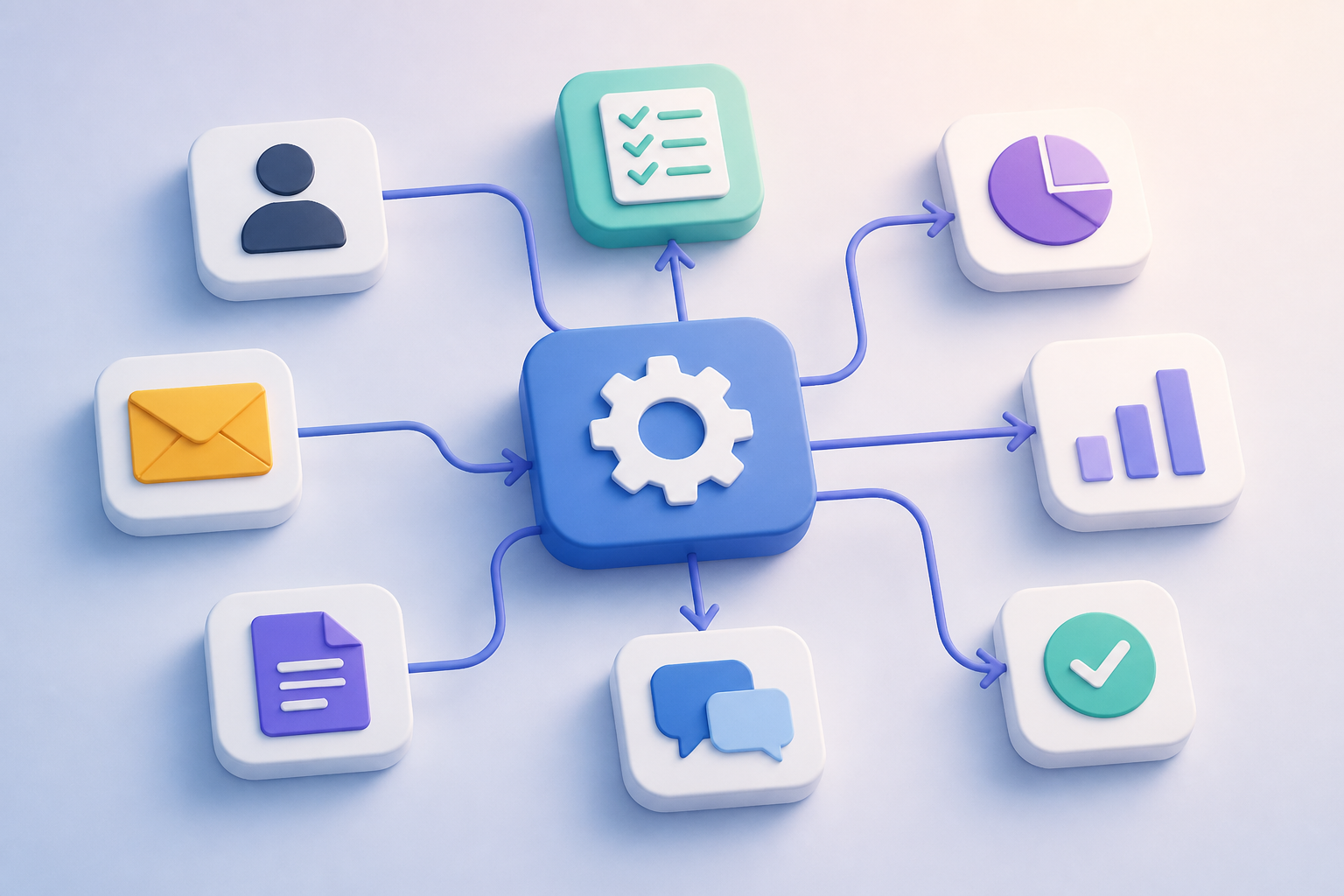
    One of the biggest challenges in scaling a business is ensuring smooth cross-functional collaboration. When sales closes a deal, customer success needs to know instantly. Instead of relying on manual emails or Slack messages, automated workflow templates trigger standard operating procedures automatically. This ensures that the moment a specific action occurs in one department, the next sequential tasks are generated and assigned in another, leaving no room for delays.

    Eliminating Costly Human Errors

    Human error is a natural byproduct of rapid growth. When employees are rushed, steps get skipped, and details are forgotten. By leveraging pre-built automated workflow templates, you build a safety net directly into your daily operations. These templates automatically assign tasks, set realistic deadlines based on trigger dates, and send reminders to stakeholders, ensuring consistent quality across all deliverables.

    Choosing and Customizing Your Templates

    To get the most out of your automation efforts, look for templates that offer flexibility and integrate deeply with your current software ecosystem. The best templates are not rigid; they should serve as a strong baseline that you can easily customize to fit your team’s specific nuances. Start with high-impact areas, such as client onboarding or content creation pipelines, and refine them as your processes evolve.

    Conclusion

    Scaling your business does not require working longer hours or doubling your headcount overnight. By integrating automated workflow templates into your task management strategy, you create a reliable framework that runs in the background. This allows your team to stop managing administrative chaos and focus on what truly matters: delivering value and driving growth.


  • No-Code CRM Integration: Scale SMB Sales Pipelines

    No-Code CRM Integration: Scale SMB Sales Pipelines

    For growing small and medium-sized businesses (SMBs), managing a rising influx of leads without expanding the sales team is a major bottleneck. This is where a strategic no-code CRM integration becomes a game-changer. By connecting your existing tools without writing a single line of code, you can build self-sustaining pipelines that nurture prospects and qualify leads on autopilot.

    Bridging the Gap Between Lead Gen and Sales

    Manual data entry is the silent killer of sales momentum. When a prospect fills out a form on your website, every minute of delay reduces the chance of conversion. A seamless no-code CRM integration bridges this gap by instantly routing leads from webforms, social ads, or landing pages directly into your CRM pipelines, notifying your sales reps in real time.

    Automating the Nurture Sequence with Zero Code

    Once a lead enters your system, the follow-up must be immediate. Utilizing no-code platforms like Zapier or Make, SMBs can trigger automated, highly personalized email sequences based on the lead’s behavior. When a deal stage updates in your CRM, the integration automatically sends tailored content, keeping prospects engaged while your team focuses on high-value interactions.

    Enriching Lead Data on the Fly

    Another major advantage of modern integrations is automated data enrichment. Instead of forcing sales reps to research company sizes or social profiles, a no-code workflow can pull this information from third-party APIs the moment a lead is captured. This ensures your sales pipeline is populated with rich, actionable insights, enabling faster and more personalized outreach.

    Maximizing SMB Efficiency for Growth

    Ultimately, a robust no-code CRM integration allows small businesses to compete with enterprise-level operations. By automating repetitive administrative tasks and streamlining lead movement through the pipeline, your current sales team can handle double the lead volume. Embracing these no-code workflows is the smartest way to unlock scalable, sustainable business growth without escalating overhead costs.

  • No-Code AI Chatbot: How to Measure ROI and Success

    No-Code AI Chatbot: How to Measure ROI and Success

    After designing and launching your customer support automation tool, you reach the most critical phase of the journey: measuring its impact. Implementing a no-code AI chatbot is a major milestone, but understanding how it performs is what guarantees long-term business value. To justify the investment and refine your customer experience, you must track specific metrics that prove your automated assistant is doing its job effectively.

    Key Customer Support Metrics to Track

    To evaluate your automation success, focus on three primary Key Performance Indicators (KPIs): deflection rate, customer satisfaction (CSAT) score, and average resolution time. A successful no-code AI chatbot should handle repetitive inquiries seamlessly, leading to a high deflection rate. If your chatbot resolves 60% of incoming queries without human intervention, your support agents gain valuable hours to focus on complex, high-touch customer issues.

    Calculating Financial ROI Without the Complexity

    One of the greatest advantages of a no-code AI chatbot platform is the built-in analytics dashboard, which allows non-technical managers to calculate return on investment directly. By comparing the cost per ticket handled by a human agent against the negligible cost of chatbot interactions, you can easily visualize your savings. Because no developer resources are required to extract this data, support teams can pivot and report financial success to stakeholders in real-time.

    Continuous Optimization and Training

    Data tracking is not just about celebrating wins; it is about finding areas for improvement. Reviewing fallback logs—instances where the AI could not answer a query—is crucial. With a no-code interface, your support team can immediately update the chatbot’s knowledge base or adjust conversational flows without waiting for an engineering sprint, ensuring the AI learns and improves daily.

    Conclusion

    Deploying your automation tool is only the beginning. By consistently monitoring your no-code AI chatbot through performance metrics and financial ROI, you turn a simple support widget into a strategic business asset. Continuous optimization ensures your customers receive fast, accurate support while your business enjoys scaled efficiency.

  • Connect Teams Using Automated Workflow Templates

    Connect Teams Using Automated Workflow Templates

    As remote and hybrid teams expand, the friction between different departments often grows too. When projects move from marketing to sales, or design to development, manual handovers lead to dropped balls and miscommunication. Implementing automated workflow templates designed specifically for cross-departmental collaboration is the ultimate solution to break down these organizational silos.

    Eliminating the Friction in Team Handovers

    Traditional task management often relies on someone remembering to send an email or tag a colleague. With automated workflow templates, these transition points are pre-configured. When a marketing lead status changes to ‘qualified’, the template automatically generates a follow-up task for the sales representative, complete with all necessary client history. This ensures no data is lost and momentum is maintained.

    How to Map Cross-Departmental Workflows

    To build an effective collaborative template, you must first map the exact touchpoints where departments interact. Identify the triggers—such as a signed contract or a completed design draft—and the subsequent actions required by the receiving team. Modern task management software allows you to save these sequences as automated workflow templates, which can be deployed instantly whenever a new cross-functional project kicks off.

    Furthermore, these templates should include standardized communication channels. Instead of scattered chat messages, automated updates can be pushed to specific Slack channels or project boards. This keeps everyone informed without requiring manual status reports, freeing up valuable time for creative and strategic work.

    Scaling Seamlessly with Automation

    Eliminating operational silos does not require constant meetings or micromanagement. By utilizing structured automated workflow templates, you establish a reliable, self-sustaining system where tasks flow effortlessly from one department to the next. Start optimizing your team handovers today to unlock higher productivity and foster a truly collaborative company culture.

  • No-Code CRM Integration: Automating SMB Post-Sale

    No-Code CRM Integration: Automating SMB Post-Sale

    For many small and medium-sized businesses (SMBs), closing a sale feels like the final milestone. However, the post-sale handoff is actually where the customer relationship truly begins. Managing this transition manually often leads to communication gaps and onboarding delays. By leveraging a strategic no-code CRM integration, SMBs can effortlessly connect their sales pipelines to post-sale workflows, ensuring a seamless experience for new clients without hiring expensive developers.

    Bridging the Gap Between Sales and Support

    A successful no-code CRM integration allows your business systems to talk to each other automatically. When a deal is marked as ‘Closed Won’ in your CRM, trigger events can immediately launch your customer onboarding sequence. This means your customer support team receives an instant notification, a welcome guide is emailed to the client, and a project board is automatically generated—all initiated by a single status change in your CRM.

    Eliminating Manual Data Entry and Human Error

    Manual handoffs are notorious for causing dropped balls. If a busy salesperson forgets to introduce the account manager, the customer experience suffers immediately. Automating your sales pipeline removes human error from the equation. A robust no-code CRM integration ensures that accurate client data flows instantly from the sales pipeline directly into your fulfillment tools, keeping your team aligned and your clients impressed.

    How to Build Your Post-Sale Automation Pipeline

    Getting started with this automation does not require complex coding skills. SMBs can use popular connector tools like Zapier or Make to link their CRM with project management software, communication tools, and email platforms. The key is to start small: identify the single most repetitive task that occurs after a sale is closed, automate that first, and then gradually build out a comprehensive end-to-end post-sale pipeline.

    Conclusion

    Automating your post-sale pipeline through a smart no-code CRM integration is a game-changer for SMB growth. By saving hours of administrative work and securing customer loyalty early on, your business can scale operations efficiently while maintaining a highly personalized touch.

  • Scale Support 24/7 with a No-Code AI Chatbot

    Scale Support 24/7 with a No-Code AI Chatbot

    As businesses expand globally, providing round-the-clock customer support becomes a necessity rather than a luxury. Traditionally, offering 24/7 assistance meant hiring night shifts or outsourcing to overseas call centers, both of which come with significant overhead costs. Today, smart companies are bypassing these logistical hurdles by deploying a no-code AI chatbot to manage their customer inquiries instantly and efficiently.

    Breaking Language and Time Zone Barriers

    The primary advantage of implementing a no-code AI chatbot is its ability to operate continuously without fatigue. Whether a customer reaches out at 2:00 AM or during peak business hours, they receive an immediate response. Furthermore, these intelligent systems can automatically translate and communicate in dozens of languages, allowing you to serve an international clientele without hiring multilingual support agents.

    Empowering Human Agents for Complex Tasks

    Automating your customer support does not mean replacing the human touch; rather, it enhances it. By routing routine questions—such as shipping updates, password resets, and basic troubleshooting—to your no-code AI chatbot, your human team is freed from repetitive tasks. They can then dedicate their expertise to resolving complex, high-value customer issues that require emotional intelligence and critical thinking.

    Deploying Support Solutions Without Developers

    What makes this shift revolutionary is the ease of implementation. In the past, building an intelligent conversational agent required a team of software engineers and months of development. Modern platforms allow customer support managers to build, test, and launch a fully functional no-code AI chatbot in a matter of days. With visual drag-and-drop interfaces, you can easily connect the bot to your existing knowledge base and helpdesk tools.

    Conclusion

    Scaling your support capacity no longer requires a massive budget or a massive team. By leveraging a no-code AI chatbot, businesses of all sizes can deliver fast, accurate, and personalized assistance to customers worldwide. Embracing this automation not only reduces operational costs but also boosts customer satisfaction and team morale.

  • Scale Collaboration with Automated Workflow Templates

    Scale Collaboration with Automated Workflow Templates

    As organizations grow, the friction between departments often intensifies. Marketing, sales, and product teams frequently operate in isolated silos, leading to miscommunication and delayed projects. To bridge these operational gaps, modern companies are turning to structured task management. By leveraging automated workflow templates, teams can establish a unified language and seamless handoffs without manual intervention.

    Breaking Down Interdepartmental Silos

    When different departments collaborate, projects often stall during handoffs. For instance, when marketing passes qualified leads to sales, manual notifications can easily be missed. Utilizing automated workflow templates ensures that once a task is completed in one department, the next sequential task is automatically generated and assigned to the right person in another department, maintaining momentum.

    Reducing Administrative Overhead

    Manual task assignment and follow-ups consume valuable hours that should be spent on strategic work. Implementing pre-configured templates with built-in automation rules eliminates this cognitive load. Teams no longer need to wonder what the next step is or who is responsible; the automated system handles the routing, allowing employees to focus entirely on execution.

    Best Practices for Shared Templates

    To successfully implement these templates across diverse teams, start by mapping out the cross-functional touchpoints. Keep your automated workflow templates flexible enough to accommodate unique team nuances but structured enough to guarantee standard outputs. Regularly audit these workflows with stakeholders to identify bottlenecks and optimize the automated triggers.

    Conclusion

    Scaling a business requires more than just hiring talent; it demands operational alignment. By integrating automated workflow templates into your cross-departmental strategy, you eliminate the friction of collaboration. This systematic approach transforms chaotic organizational growth into a streamlined, automated engine for success.

  • Boost Repeat Sales: No-code CRM integration

    Boost Repeat Sales: No-code CRM integration

    Many small and medium-sized businesses focus their automation efforts entirely on the top of the funnel. However, the true value of a streamlined pipeline lies in what happens after a deal is closed. By leveraging a smart no-code CRM integration, SMBs can effortlessly connect post-sales support with their core sales pipeline, transforming one-time buyers into loyal, repeat customers.

    Bridging the Support and Sales Divide

    When customer support operates in a silo, valuable insights are lost. Implementing a no-code CRM integration allows your helpdesk software to seamlessly sync with your CRM. If a customer submits positive feedback or resolves a complex onboarding ticket, this data is instantly updated in your sales dashboard. This transparency ensures that your sales team always knows the exact health of an account before pitching an upgrade.

    Triggering Automated Renewal Workflows

    With your systems connected, you can set up automated triggers that handle the heavy lifting of retention. For instance, once a contract reaches its 90-day mark, a no-code CRM integration can automatically move the contact to a renewal pipeline and assign a task to the account manager. This guarantees no expansion opportunity slips through the cracks, all without manual data entry.

    Unlocking Scalable SMB Growth

    In conclusion, scaling an SMB requires maximizing customer lifetime value without bloating your operational costs. Utilizing a no-code CRM integration to automate your post-sale pipeline bridges the gap between support and sales. By streamlining these workflows, your business can cultivate stronger relationships, secure predictable renewals, and drive sustainable revenue growth with ease.

  • Scale Holiday Support with a No-Code AI Chatbot

    Scale Holiday Support with a No-Code AI Chatbot

    Managing sudden spikes in customer inquiries during peak sales seasons can overwhelm even the most dedicated support teams. Traditionally, businesses had to choose between hiring expensive temporary staff or facing long response times and unhappy customers. Today, implementing a no-code AI chatbot offers a scalable, cost-effective alternative that keeps your support desk running smoothly 24/7.

    Handling Support Spikes Without the Overhead

    With a no-code AI chatbot, your customer service team can design, test, and deploy automated support flows in a matter of days. Because these platforms require zero programming knowledge, support managers can directly build conversational paths based on real customer pain points. This agility allows businesses to quickly adapt to seasonal promotions or sudden product updates without waiting on IT departments.

    These intelligent bots do far more than just greet visitors; they can resolve up to 80% of routine inquiries instantly. From tracking shipments and processing simple returns to answering product compatibility questions, the chatbot handles the repetitive bulk of tickets. Consequently, your human agents are freed up to focus on high-value, complex customer issues that require emotional intelligence.

    Maintaining the Human Touch During Peak Seasons

    A common concern with automation is losing the personal connection with customers. However, modern conversational AI excels at understanding natural language and user intent. A well-configured no-code AI chatbot can recognize when a customer is frustrated and seamlessly hand off the conversation to a live agent, along with the full chat history, ensuring a friction-free transition.

    Ultimately, preparing your business for traffic surges doesn’t require scaling your payroll. By integrating a no-code AI chatbot into your customer support strategy, you protect your team from burnout while ensuring every single customer receives an immediate, helpful response. It is the ultimate tool for scaling your support operations efficiently during your busiest times.

  • Scale Collaboration with Automated Workflow Templates

    Scale Collaboration with Automated Workflow Templates

    As organizations grow, keeping cross-functional teams aligned becomes a major challenge. Departmental silos often lead to miscommunication, missed deadlines, and duplicated efforts. Utilizing automated workflow templates designed specifically for cross-departmental collaboration is the ultimate way to bridge these gaps, ensuring everyone moves in sync without manual overhead.

    Bridging the Gap Between Marketing and Product

    When marketing, sales, and product teams operate in isolation, critical data gets lost in translation. By implementing standardized templates, you can automatically trigger action items across different departments. For instance, when a developer marks a new feature as complete, the template can instantly assign a promo task to the copywriting team, removing the need for manual handoffs.

    Anatomy of a Collaborative Automation Template

    The most effective automated workflow templates rely on clearly defined triggers and conditional logic. A robust template map outlines exactly who is responsible for what, establishes automated reminders, and updates project dashboards in real-time. This level of transparency keeps stakeholders informed without cluttering their inboxes with status update requests.

    Unifying Your Tech Stack Seamlessly

    Modern collaboration requires tools that talk to each other. Advanced templates integrate your CRM, project management software, and communication channels. When a deal closes in your CRM, the template initiates onboarding tasks in your project tool and pings the customer success team on Slack, keeping the post-sale transition completely frictionless.

    Conclusion: Scale Your Operations with Confidence

    Transitioning to automated task management isn’t just about saving time; it’s about building a scalable foundation for business growth. By deploying collaborative automated workflow templates, you empower your teams to focus on high-value creative work while the system handles the repetitive coordination. Start small, optimize continuously, and watch your organizational efficiency soar.